Keyword Research Guide (2026): Find Keywords That Rank on Google
Table of Contents
- What Is Keyword Research?
- Why Keyword Research Matters
- Types of Keywords
- How to Find Keywords
- Best Keyword Research Tools
- How to Choose the Right Keywords
- Search Intent Explained
- Keyword Difficulty
- Long-Tail Keywords
- Common Keyword Research Mistakes
- Frequently Asked Questions
- Conclusion
1. What Is Keyword Research?
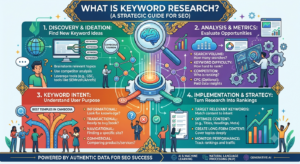
Keyword Research is the process of discovering the words and phrases people type into search engines like Google when looking for information, products, or services.
Every successful SEO strategy starts with proper keyword research. Without knowing what your audience is searching for, it becomes difficult to create content that attracts organic traffic.
For example, someone may search for:
- What is SEO
- Keyword Research
- Best SEO Tools
- Technical SEO Guide
- How Google Search Works
Each search represents a keyword that people use to find answers online.
Keyword Research helps website owners understand:
- What users want
- How often people search for a keyword
- How competitive a keyword is
- Which keywords are easiest to rank for
Instead of guessing what visitors need, keyword research allows you to create content based on real search data.
If you want to grow your website through organic traffic, learning Keyword Research is one of the most valuable SEO skills.
2. Why Keyword Research Matters
Keyword Research is the foundation of every successful SEO campaign.
Publishing articles without researching keywords is like opening a store in the middle of a desert—people simply may not find it.
Good keyword research helps you:
- Understand your audience
- Discover topics people actually search for
- Increase organic traffic
- Improve Google rankings
- Create content that matches search intent
- Find low-competition opportunities
- Build a long-term content strategy
Businesses that consistently publish keyword-focused content usually receive more visitors from Google than websites that rely only on paid advertising.
For new websites, targeting low-competition keywords is often the fastest way to gain search visibility.
3. Types of Keywords
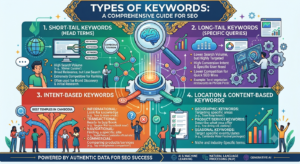
Not all keywords are the same. Different types of keywords serve different purposes.
Short-Tail Keywords
These are broad keywords with high search volume.
Examples:
- SEO
- Marketing
- WordPress
Although they attract many searches, they are usually very competitive.
Long-Tail Keywords
Long-tail keywords contain three or more words.
Examples:
- Keyword Research Guide
- Best SEO tools for beginners
- How Google Search Works
- Technical SEO checklist
These keywords often have:
- Lower competition
- Higher conversion rates
- More specific search intent
Long-tail keywords are highly recommended for new websites.
Informational Keywords
Users want to learn something.
Examples:
- What is SEO
- What is Keyword Research
- How Google ranks websites
Commercial Keywords
Users are comparing products before buying.
Examples:
- Best SEO tools
- Ahrefs vs SEMrush
- Best keyword research software
Transactional Keywords
Users are ready to take action.
Examples:
- Buy SEO course
- Download SEO checklist
- Subscribe to SEO newsletter
4. Why Keyword Research Is Important
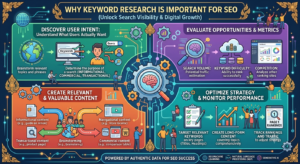
Keyword research is the foundation of every successful SEO strategy.
Without proper keyword research, you may create content that nobody is searching for.
Benefits of keyword research include:
- Understanding what users want
- Creating content people search for
- Increasing organic traffic
- Improving Google rankings
- Finding low-competition opportunities
- Growing website authority
Businesses that invest in keyword research usually achieve better long-term SEO results.
5. How to Find Keywords
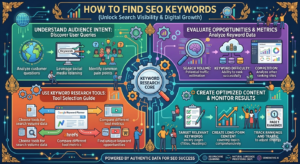
There are many ways to discover valuable keywords for your website.
Some of the best methods include:
Google Autocomplete
Start typing a topic into Google Search.
Google automatically suggests popular searches based on real user data.
Example:
Typing SEO may show:
- SEO tools
- SEO tutorial
- SEO checklist
- SEO course
These suggestions are excellent keyword ideas.
Google People Also Ask
The People Also Ask section contains common questions related to a search query.
These questions can become:
- Blog headings
- FAQ sections
- New article ideas
Answering these questions can improve your chances of appearing in Google’s featured snippets.
Related Searches
Scroll to the bottom of Google’s search results.
You’ll find additional keyword ideas under Related Searches.
These keywords often reflect what users search for next.
Google Search Console
Google Search Console shows the keywords your website already ranks for.
You can use this data to:
- Improve existing articles
- Discover new keyword opportunities
- Increase clicks and impressions
6. Best Keyword Research Tools
📷 Image 6
Alt Text:
Best keyword research tools in 2026
Choosing the right keyword research tool can save you hours of work and help you discover valuable keyword opportunities. While some tools are free, others provide advanced SEO data for professional marketers.
Below are some of the best keyword research tools available in 2026.
Google Keyword Planner
Google Keyword Planner is a free tool provided by Google Ads. It helps users discover keyword ideas, monthly search volumes, and competition levels.
It is ideal for beginners who want reliable keyword data directly from Google.
Best for:
- Finding keyword ideas
- Checking search volume
- Planning SEO content
- PPC keyword research
Google Search Console
Google Search Console shows the keywords that already bring visitors to your website.
Instead of guessing what people search for, you can use real data from Google.
With Search Console, you can:
- Discover keywords with high impressions
- Improve pages with low CTR
- Find pages ranking on Page 2
- Identify new content opportunities
It is one of the most valuable free SEO tools for website owners.
Google Trends
Google Trends helps you compare keyword popularity over time.
This tool is useful for finding seasonal topics and identifying keywords that are growing in popularity.
For example, you can compare:
- SEO vs Digital Marketing
- AI SEO vs Traditional SEO
- ChatGPT vs Google Gemini
Using Google Trends allows you to create content before competitors notice emerging trends.
Ahrefs
Ahrefs is one of the most popular SEO platforms for professionals.
It provides detailed keyword data such as:
- Keyword Difficulty (KD)
- Search Volume
- Traffic Potential
- Parent Topics
- SERP Analysis
- Competitor Keywords
Although it is a paid tool, Ahrefs offers some of the most accurate SEO data available.
SEMrush
SEMrush is another powerful all-in-one SEO platform.
It helps users:
- Discover keyword opportunities
- Analyze competitors
- Track keyword rankings
- Perform site audits
- Research backlinks
Many digital marketing agencies rely on SEMrush for both SEO and content planning.
Ubersuggest
Ubersuggest is a beginner-friendly keyword research tool created by Neil Patel.
It provides:
- Keyword suggestions
- Search volume
- SEO difficulty
- Content ideas
- Competitor analysis
Its simple interface makes it a great option for new bloggers and small business owners.
AnswerThePublic
AnswerThePublic collects questions that people ask on Google and organizes them into visual categories.
This tool is perfect for finding:
- FAQ ideas
- Blog post topics
- Long-tail keywords
- Voice search queries
Creating content based on these questions can improve your chances of appearing in Google’s featured snippets.
7. How to Choose the Right Keywords
📷 Image 7
Alt Text:
Choosing the right SEO keywords
Finding keywords is only the first step. The next step is choosing the right keywords that match your website goals and audience.
The best keyword is not always the one with the highest search volume. Instead, focus on keywords that offer a balance between traffic potential and ranking difficulty.
When selecting keywords, consider the following factors:
Search Volume
Search volume indicates how many times a keyword is searched each month.
High-volume keywords can bring more traffic but are usually more competitive.
For new websites, targeting medium or low-volume keywords often leads to faster rankings.
Keyword Difficulty
Keyword Difficulty estimates how challenging it is to rank on the first page of Google.
If your website is new, focus on low-difficulty keywords before targeting highly competitive topics.
Building authority over time makes it easier to rank for more difficult keywords.
Search Intent
Always choose keywords that match what users are actually looking for.
For example:
- Informational keywords are best for blog posts.
- Commercial keywords are ideal for comparison articles.
- Transactional keywords work well for product or service pages.
Matching search intent improves user satisfaction and increases the chances of ranking higher.
Relevance
Only target keywords that are closely related to your niche and the content you publish.
For example, if your website focuses on SEO, relevant keywords include:
- SEO Basics
- Keyword Research
- Technical SEO
- On-Page SEO
- Link Building
Avoid targeting unrelated keywords simply because they have high search volume.
Competition Analysis
Before choosing a keyword, search it on Google and review the top-ranking pages.
Ask yourself:
- Are the top results from trusted websites?
- Can you create a better and more comprehensive article?
- Is there missing information you can improve?
If you can provide more value than existing pages, the keyword may be worth targeting.
8. Search Intent Explained
📷 Image 8
Alt Text:
SEO search intent examples
Search intent refers to the reason behind a user’s search query. Google aims to understand what users truly want before displaying search results.
If your content matches the user’s search intent, it has a much higher chance of ranking on the first page of Google.
There are four main types of search intent.
Informational Intent
Users want to learn something or find an answer to a question.
Examples:
- What is SEO?
- How Google Search Works
- Keyword Research Guide
- Technical SEO Basics
These searches are best answered with detailed blog posts, tutorials, and educational content.
Navigational Intent
Users already know the website or brand they want to visit.
Examples:
- Facebook Login
- YouTube
- Google Search Console
- Ahrefs
For these searches, Google usually displays the official website at the top of the results.
Commercial Investigation Intent
Users are researching products or services before making a purchase.
Examples:
- Best SEO tools
- Ahrefs vs SEMrush
- Best keyword research software
- Best WordPress SEO plugins
Comparison articles and product reviews work best for this type of search intent.
Transactional Intent
Users are ready to take action, such as buying a product or signing up for a service.
Examples:
- Buy SEO course
- Download SEO checklist
- Subscribe to SEO newsletter
- Purchase SEO tools
Landing pages and product pages are ideal for transactional keywords.
Why Search Intent Matters
Even if a keyword has high search volume, it may not bring good results if your content does not match the user’s intent.
For example:
If users search for “Best SEO Tools”, they expect a comparison article—not a beginner’s SEO guide.
Similarly, someone searching “What is Keyword Research?” wants an educational article rather than a sales page.
Always create content that satisfies the user’s intent first, then optimize it for SEO.
9. Keyword Difficulty
📷 Image 9
Alt Text:
Keyword difficulty explained
Keyword Difficulty (KD) is a metric that estimates how difficult it is to rank for a keyword in Google’s search results.
Most SEO tools calculate Keyword Difficulty based on factors such as:
- Backlinks
- Website authority
- Content quality
- Competition
- Search results
Although each SEO tool uses its own formula, the idea is the same: higher difficulty means stronger competition.
Low Keyword Difficulty
Low-difficulty keywords are usually easier to rank for, especially for new websites.
Examples include:
- SEO tips for beginners
- Free SEO checklist
- How to use Google Search Console
These keywords often have lower competition and can help new websites gain traffic more quickly.
Medium Keyword Difficulty
Medium-difficulty keywords require stronger content and some website authority.
Examples:
- Keyword Research Guide
- On-Page SEO
- Technical SEO
With consistent publishing and quality backlinks, these keywords become achievable over time.
High Keyword Difficulty
Highly competitive keywords are usually dominated by well-established websites.
Examples:
- SEO
- Digital Marketing
- WordPress
Ranking for these terms often requires years of authority, high-quality backlinks, and comprehensive content.
How to Evaluate Keyword Difficulty
Before targeting a keyword, search it on Google and review the first page of results.
Ask yourself:
- Are the top-ranking websites well-known?
- How comprehensive are the existing articles?
- Can you provide more value than the current results?
- Do you have enough expertise to compete?
If the competition is too strong, consider targeting a longer and more specific keyword instead.
Best Strategy for Beginners
If your website is new, focus on:
- Low Keyword Difficulty
- Long-tail keywords
- Informational search intent
- Helpful and original content
As your website gains authority through quality content and backlinks, you can gradually target more competitive keywords.
10. Long-Tail Keywords
📷 Image 10
Alt Text:
Long-tail keyword examples for SEO
Long-tail keywords are search phrases that usually contain three or more words. Although they often have lower search volume than broad keywords, they tend to attract more targeted visitors and are much easier to rank for.
For example, instead of targeting the highly competitive keyword “SEO”, you could target:
- Best SEO tools for beginners
- How to do keyword research in 2026
- Free keyword research tools
- Keyword Research Guide for beginners
- How to find low competition keywords
These longer phrases reflect exactly what users are searching for and often indicate a stronger intent to learn or take action.
Benefits of Long-Tail Keywords
Long-tail keywords provide several advantages, especially for new websites.
Benefits include:
- Lower competition
- Higher conversion rates
- Better search intent matching
- Easier rankings
- More targeted visitors
- Improved user engagement
Instead of trying to compete with large websites for broad keywords, focus on long-tail keywords that answer specific questions.
How to Find Long-Tail Keywords
You can discover long-tail keywords by using:
- Google Autocomplete
- Google People Also Ask
- Google Related Searches
- Google Search Console
- Ahrefs
- SEMrush
- Ubersuggest
- AnswerThePublic
These tools reveal the exact phrases people use when searching online.
Example
Broad keyword:
Keyword Research
Long-tail versions:
- Keyword Research Guide for Beginners
- Best Keyword Research Tools in 2026
- How to Find Keywords That Rank on Google
- Free Keyword Research Methods
Targeting these phrases often leads to higher-quality traffic and better SEO results.
11. Common Keyword Research Mistakes
📷 Image 11
Alt Text:
Common keyword research mistakes
Many beginners make mistakes that prevent their content from ranking well in Google Search.
Avoid the following mistakes.
Choosing Only High-Competition Keywords
Trying to rank for keywords like SEO, Google, or Marketing can be extremely difficult for new websites.
Instead, focus on long-tail keywords with lower competition.
Ignoring Search Intent
Ranking is not just about using keywords.
Your content must answer the user’s question and satisfy their search intent.
Always create content that matches what users expect to find.
Keyword Stuffing
Repeating the same keyword too many times makes your content difficult to read and can hurt your rankings.
Instead:
- Write naturally
- Use related keywords
- Include synonyms
- Focus on helpful content
Not Updating Old Content
Search trends change over time.
Review and update older articles regularly by:
- Adding new information
- Updating statistics
- Improving examples
- Refreshing screenshots
- Expanding sections
Fresh content often performs better in search results.
Ignoring Competitor Research
Study websites already ranking for your target keyword.
Look at:
- Their headings
- Content length
- Images
- Internal links
- FAQs
- Overall quality
Then create something even more useful and comprehensive.
Targeting Too Many Keywords in One Article
Each article should focus on one primary keyword and a few closely related secondary keywords.
Trying to target dozens of unrelated keywords makes it harder for Google to understand your page.
Frequently Asked Questions (FAQ)
What is Keyword Research?
Keyword Research is the process of discovering the words and phrases people type into search engines to find information, products, or services.
Why is Keyword Research important?
It helps you create content people are actually searching for, improve Google rankings, increase organic traffic, and build a long-term SEO strategy.
What are long-tail keywords?
Long-tail keywords are longer and more specific search phrases that usually have lower competition and higher conversion rates.
Which keyword research tool is best?
Popular keyword research tools include:
- Google Keyword Planner
- Google Search Console
- Ahrefs
- SEMrush
- Ubersuggest
- AnswerThePublic
Each tool provides valuable keyword data, but beginners can start with Google’s free tools.
How many keywords should I target in one article?
Focus on one primary keyword and several closely related secondary keywords. This helps Google understand your topic and improves SEO performance.
Can I do keyword research for free?
Yes. Free methods include:
- Google Autocomplete
- Google Related Searches
- Google People Also Ask
- Google Search Console
- Google Keyword Planner
These resources provide excellent keyword ideas without requiring a paid subscription.
Conclusion
Keyword Research is one of the most important skills in SEO. By understanding what your audience is searching for, you can create valuable content that attracts the right visitors and improves your visibility in Google Search.
A successful keyword research strategy involves choosing the right keywords, understanding search intent, evaluating keyword difficulty, and targeting long-tail opportunities. Combining these practices with high-quality content and regular updates will help your website grow steadily over time.
Remember that SEO is a long-term process. Consistent keyword research, helpful content, and continuous optimization are the keys to building sustainable organic traffic and achieving better rankings in Google.